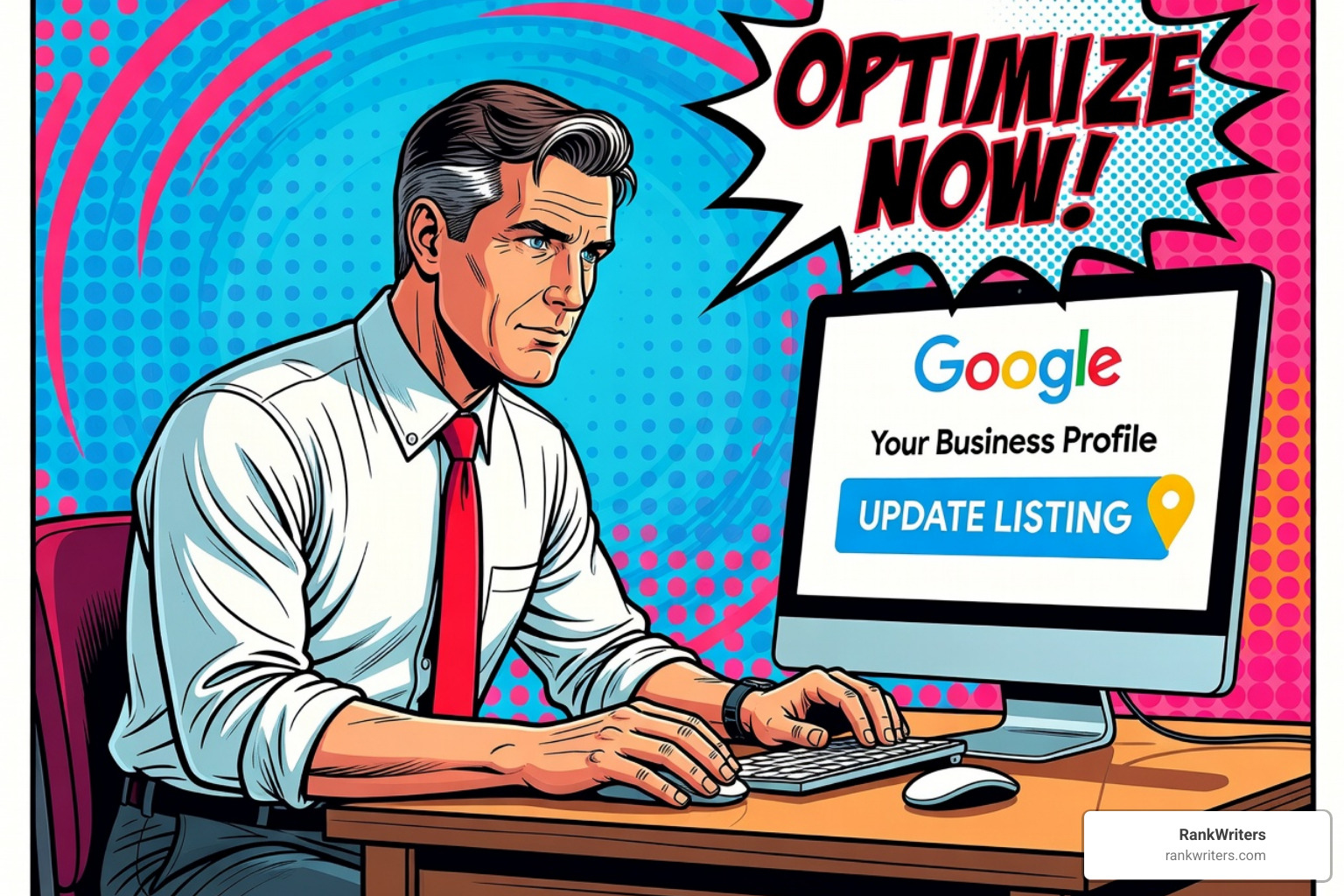

Google My Business optimization is the process of completing and enhancing your Google Business Profile so your business appears prominently when local customers search for your products or services. Here’s what you need to know:
Quick Answer: Essential Steps for Google My Business Optimization
- Claim and verify your Google Business Profile
- Complete all information – business name, address, phone, hours, categories
- Upload high-quality photos – minimum 10, ideally 100+ images
- Collect and respond to reviews – aim for consistent 5-star reviews
- Post weekly updates – offers, events, news, and educational content
- Optimize your description – use all 750 characters with natural keywords
- Add products and services – detailed listings with prices and descriptions
- Monitor performance – track insights and adjust strategy monthly
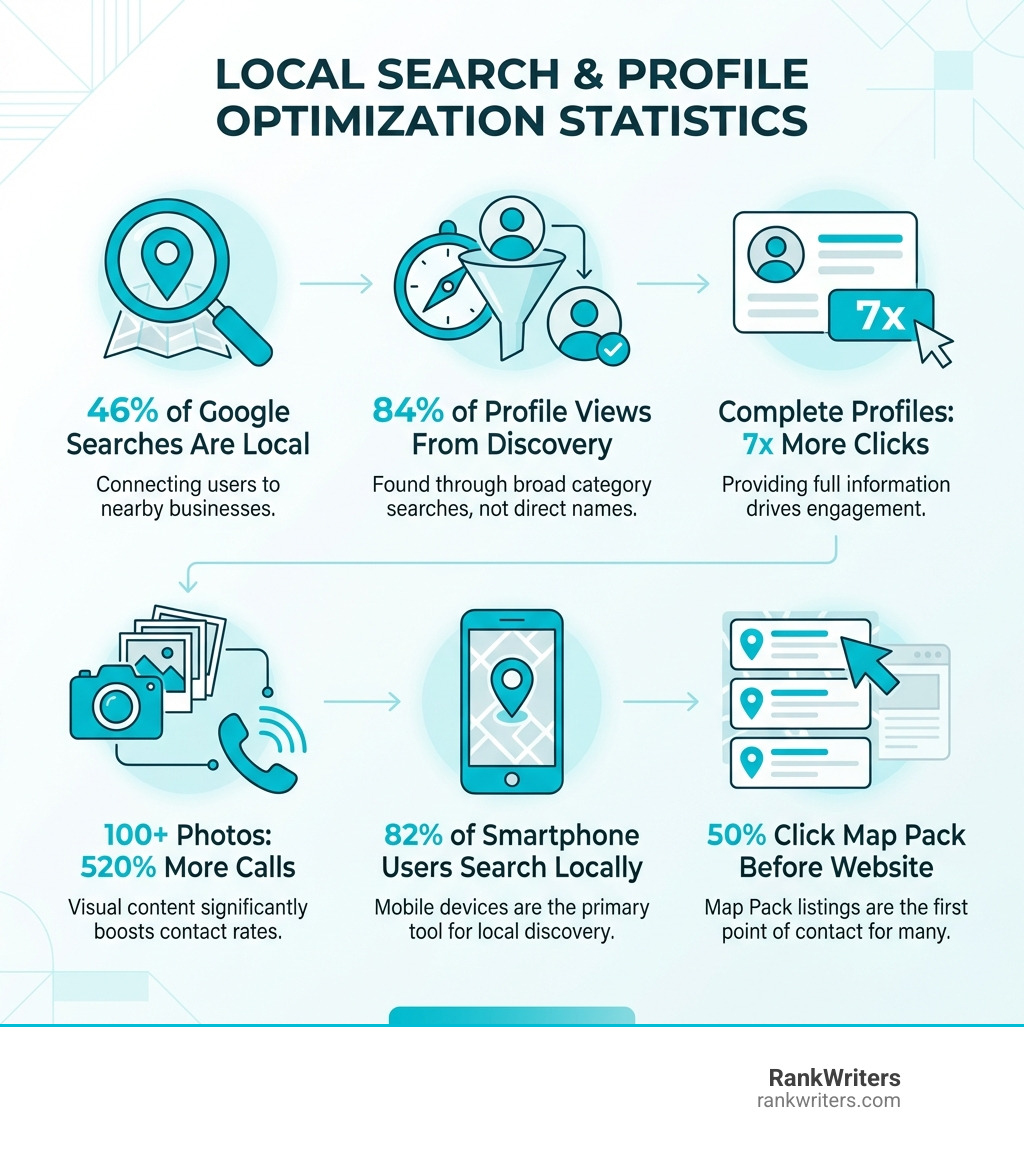
Why this matters: 46% of all Google searches are looking for local businesses. When someone searches “pizza near me” or “plumber in [city],” Google shows a Map Pack – those top three business listings with a map. That’s prime real estate. Most searchers (50%) click a Map Pack listing before they ever visit a website.
The typical business profile gets just 1,260 views per month with only 59 actions taken. That’s less than 5% engagement. But businesses that fully optimize their profiles see 7x more clicks, 520% more calls (with 100+ photos), and rank multiple positions higher in local search results.
Your Google Business Profile works 24/7 as a free customer acquisition tool. It appears in Google Search, Google Maps, and the Local Pack. For many customers, it’s the first impression of your business – often seen before they visit your website.
The challenge? Most businesses claim their profile and stop there. They don’t realize optimization is an ongoing process involving photos, posts, reviews, Q&A management, and strategic content updates.
At RankWriters, we specialize in a systematic, future-proof approach to Google My Business optimization that drives measurable lead generation. We’ve helped brands across fintech, legal, and service-based industries dominate local search through strategic profile optimization that converts visibility into revenue.
Decoding the Local Ranking Algorithm
When a customer searches for a business or service “near them” on Google Maps or Search, Google’s local ranking algorithm springs into action. This intricate system determines which businesses appear in the coveted Local Pack and local search results. It is all about connecting searchers with the best local options, and understanding its core pillars is crucial for effective Google My Business optimization.

Google explicitly states that there’s no way to pay for a better local ranking. Instead, the algorithm relies on three primary factors: Relevance, Distance, and Prominence. Think of them as the three musketeers of local SEO, working together to present the most useful results.
- Relevance: How well does your Business Profile match what the customer is searching for? This isn’t just about keywords; it’s about the completeness and accuracy of your entire profile. If someone searches for “Italian restaurant,” a profile categorized as “Italian Restaurant” with a menu and photos of pasta will be highly relevant.
- Distance: How far is your business location from the searcher? Google aims to provide results that are physically close. If the searcher doesn’t specify a location (e.g., “plumber”), Google calculates distance based on their known location.
- Prominence: How well-known or authoritative is your business? This is a broad factor encompassing various signals. It includes your online review count and score, links to your website from other reputable sites, local citations across the web, and even mentions of your business name (without a link) on other websites. A business with a strong online reputation and a robust web presence will naturally have higher prominence.
| Factor | Description |
|---|---|
| Relevance | How closely your profile matches the query (categories, services/products, description, attributes, and overall completeness). |
| Distance | Proximity to the searcher’s location or the location included in the query. |
| Prominence | Reputation and authority signals such as review quantity/quality, citations, links, and brand mentions across the web. |
The journey to local search dominance begins with claiming and verifying your Google Business Profile. This free tool is your central hub for managing your business’s presence across Google Search and Maps. Without a verified profile, your business will struggle to appear in local results, no matter how good your website SEO is.
The process generally involves:
- Claiming Your Profile: Head over to Google Business Profile and search for your business name. If it exists, claim it. If not, create a new one. Ensure you use your exact business name as it appears on official documents and signage. Google is strict about this, and keyword stuffing can lead to suspension.
- Verification: This is Google’s way of ensuring you’re genuinely connected to the business. Verification methods vary, but often include postcard by mail, phone call, email, or video verification. Video verification is often the fastest method in 2026. Once verified, you gain full control over your profile.
- NAP Consistency: This might sound like a simple detail, but it’s critically important. Your business Name, Address, and Phone number (NAP) must be identical across your Google Business Profile and all other online listings, including your website, social media profiles, and local directories. Inconsistent NAP information confuses search engines and can hurt your local ranking. We ensure our clients maintain perfect NAP consistency across their digital footprint, which is a foundational element of our Local SEO Services.
Selecting Categories and Attributes
Choosing the right categories is like telling Google exactly what kind of business you are. This directly impacts your relevance score and determines which searches your business will appear for.
- Primary Category: Select the single most accurate category that describes your core business. For example, if you’re a plastic surgeon in Westmoreland County, “Plastic Surgeon” is far more specific and effective than “Doctor” or “Medical Clinic.” This is a key ranking factor for Local Packs.
- Secondary Categories: Don’t stop at one. You can add up to nine additional categories to cover all your offerings. Use these to describe specialized services. If you’re a “Plastic Surgeon,” you might add “Cosmetic Surgeon” or “Medical Spa” if those services are offered. The goal is to be comprehensive without being misleading. You can explore the full list of GMB categories within your profile dashboard to find the best fits.
- Business Attributes: These are specific tags that highlight unique aspects of your business, like “Wi-Fi available,” “Wheelchair accessible,” “Black-owned,” “Women-led,” or “LGBTQ+ friendly.” Attributes help customers filter searches and find businesses that align with their preferences. Activating all applicable attributes can significantly improve your visibility in filtered searches and improve customer trust.
Maximizing the Description for Google My Business Optimization
Your business description is your opportunity to tell potential customers and Google more about what makes your business special. While it might not be a direct ranking factor, it heavily influences conversion.
- 750-Character Limit: Use this space wisely. Google typically shows the first 250 characters in the Knowledge Panel, so front-load your most important information.
- Natural Keywords: Incorporate relevant keywords that customers in Pennsylvania or Westmoreland County might use to find your services, but always write naturally. Avoid keyword stuffing, as this can lead to penalties. Focus on clearly articulating who you are, what you do, and where you do it.
- Unique Value Proposition: What sets you apart? Highlight your unique selling points, your history, your mission, and what customers can expect. This is where you can truly connect with your audience. For guidance on crafting compelling business narratives, check out our insights on SEO for Business. Google’s ultimate goal is to connect searchers with the best business for their needs through detailed, trusted information.
Understanding Search Intent
Google commonly surfaces local results based on the intent behind a query. In practice, you’ll see three patterns:
- Findy searches: The customer searches for a category or service (e.g., “personal injury lawyer near me”), and Google finds businesses that match.
- Direct searches: The customer searches for a specific business name or brand (e.g., “RankWriters”).
- “Near me” and location-modified searches: The customer includes a location modifier (e.g., “Greensburg PA”) or relies on Google’s location detection.
You’ll also notice local justifications in the Map Pack (short snippets like “Website mentions…” or “Customers mention…”) that help explain why a listing is appearing. These are strong cues about what Google is using to evaluate relevance and prominence, and they can guide what you prioritize in your ongoing optimization.
Leveraging Visual Content and Updates
Humans are visual creatures. High-quality images and videos on your Google Business Profile are not just pretty; they’re powerful optimization tools that drive engagement and trust. According to Google, customers are 42% more likely to request driving directions and 35% more likely to click through to a website if a profile has photos. Businesses with over 100 photos even see 520% more calls!
- Profile Logo and Cover Image: Your logo is your brand identity; ensure it’s high-resolution and instantly recognizable. Your cover image should be a compelling photo that best represents your business. Think of it as your digital storefront window.
- Geotagging: While Google’s algorithm is smart, geotagging your photos (embedding location data) can provide an additional signal of your physical location. It’s a subtle yet effective tactic to reinforce your local presence, especially for businesses in Westmoreland County.
- 360 Photos and Videos: Go beyond static images. Use Google’s Street View app to add a 360º photo, giving customers an immersive experience. Video posts, in particular, get 2.3x more engagement than image posts, making them a fantastic way to showcase your team, services, or products in action.
- Diverse Photo Categories: Don’t just upload a few pictures. Google’s photo guidelines recommend a variety: interior shots, exterior shots (helping customers recognize your building), product/service photos, team photos, and photos of happy customers (with permission, of course!). Aim for a minimum of 10 photos, but the more, the merrier – especially high-quality, relevant ones.
Engaging Customers with Google Posts
Google Posts are mini-blog posts or updates directly on your Google Business Profile. They keep your profile fresh, active, and provide valuable information to potential customers. Think of them as your business’s social media feed, but right where people are searching for you.
- Weekly Updates: Consistency is key. Posting at least once a week shows Google your business is active and engaged. Weekly posts can increase engagement by 31%, and posting three times a week can boost it by 38%.
- Types of Posts:
- “What’s New” Updates: Share general announcements, news, or behind-the-scenes glimpses.
- Offer Posts: Promote sales, discounts, or special deals with a clear call-to-action and expiration date. These are fantastic for driving immediate interest.
- Event Posts: Announce upcoming events, workshops, or webinars. These posts remain visible until the event concludes, offering longer visibility.
- Product Showcase: Highlight specific products with high-quality photos, descriptions, and pricing. Link directly to your product pages for easy purchasing.
- Call-to-Action Buttons: Always include a relevant call-to-action (CTA) button like “Learn more,” “Sign up,” “Buy,” or “Call now.” This guides customers to the next step, whether it’s visiting your website or making a purchase.
- Content Strategy: Think about what your customers in Pennsylvania want to know. Share educational content, success stories, or answer common questions. This not only engages them but also supports your broader SEO Content Development efforts by reinforcing your expertise.
Mastering Reviews and Interactive Features
Reviews are arguably the most impactful element of your Google Business Profile. They’re the #1 influence on consumer buying decisions and a critical ranking factor. Businesses with multiple reviews and solid star ratings are far more likely to appear in the Local 3-Pack.
- Review Velocity and Star Ratings: It’s not just about getting reviews, but getting a steady stream of them (velocity) and maintaining a good average rating (star ratings). Google wants to see recent, positive feedback. A business with 10 recent 5-star reviews might outrank one with 50 reviews from two years ago. We recommend aiming for a minimum of 31 positive 5-star reviews, but in competitive markets, 100+ can be necessary.
- Keyword-Rich Reviews: Encourage customers to mention specific products, services, or even your location (e.g., “Best plastic surgeon in Westmoreland County for rhinoplasty!”). Google can embolden these keywords in reviews, validating your relevance to potential customers.
- Asking for Reviews: Don’t be shy! 62% of customers will write a review if asked. Make it easy by creating a review shortcut link directly from your Google Business Profile. Ask via email, text, in-person, or even QR codes at your checkout.
- Responding to Reviews: This is non-negotiable. Respond to all reviews, positive and negative.
- Positive Reviews: Thank the customer, personalize your response, and perhaps reiterate a positive point.
- Negative Reviews: Respond promptly (within 24 hours), professionally, and empathetically. Apologize for any negative experience, take responsibility, and offer a solution or invite them to discuss offline. This shows potential customers that you care and are proactive in addressing issues. Responding to reviews not only builds trust but also improves your local SEO, as Google has confirmed that owner responses are valued. For a deeper dive into this, explore The Weight of Business Reviews in Google Ranking.
Utilizing Q&A and Messaging
These interactive features allow direct engagement with customers, providing immediate answers and building trust.
- Q&A Section: This section allows anyone to ask a question about your business, and anyone (including you) can answer. The challenge is that incorrect information can sometimes appear. You can’t turn off the Q&A feature of your Business Profile, but you can optimize it by:
- Seeding FAQs: Proactively ask and answer common questions yourself. This allows you to control the narrative and include keywords naturally.
- Monitoring: Set up alerts to know when new questions are posted. Respond promptly and accurately.
- Messaging: Enabling the messaging feature allows customers to text your business directly from your Google Business Profile. With 82% of smartphone shoppers (and 92% of millennials) using their devices for local search, this is a powerful communication channel. Ensure your team is available to respond promptly; customers typically expect responses within 24 hours, but a growing minority prefers a response within an hour. This direct communication can be similar to text messages and emails, accessible via the Google Maps app.
Advanced Strategies for Multi-Location and AI Search
Managing a single Google Business Profile can be a full-time job, but what if you have multiple locations, perhaps a chain of offices across Pennsylvania? And how does your GBP fit into the evolving landscape of AI Search?
- Duplicate Listings: A common pitfall for multi-location businesses is duplicate listings. This violates Google’s guidelines and can lead to penalties or confusion. Regularly audit Google Maps and Search for any unintended duplicates. Ensure only one, verified listing exists for each physical location.
- Localized Content Strategy: Each location should have a unique, optimized GBP. This means:
- Unique Descriptions: Tailor the business description for each location, highlighting local landmarks, unique services, or community involvement specific to that area (e.g., “Serving Westmoreland County since 1995”).
- Location-Specific Posts: Use Google Posts to announce offers or events relevant only to that specific branch. A special sale in Greensburg, PA, shouldn’t appear on your profile for Pittsburgh. This prevents customer disappointment and ensures relevance.
- Local Phone Numbers & Addresses: Avoid using a central toll-free number for all locations. Use distinct local phone numbers and addresses for each profile to reinforce local presence.
- AEO/GEO Impact: As AI Search (AEO) and Geographic SEO (GEO) evolve, your Google Business Profile becomes even more critical. AI models will pull information directly from your GBP to answer user queries, making accuracy and completeness paramount. A well-optimized GBP provides the structured data AI needs to understand your business, its services, and its local relevance. Our expertise at RankWriters lies in preparing your digital presence for this future, ensuring your GBP is a robust data source for both traditional and AI-powered search.
Tracking Success in Google My Business Optimization
You can’t improve what you don’t measure! Google provides free, robust analytics within your Business Profile dashboard.
- Performance Insights: The “Performance” tab is your best friend. It offers valuable data on how customers interact with your profile:
- Calls: How many people called your business directly from your GBP?
- Website Clicks: How many clicked through to your website?
- Direction Requests: How many asked for driving directions?
- Messages: How many initiated a chat?
- Bookings: (If applicable) How many made a booking?
- Search Queries: Find the exact search terms people used to find your business. This is gold for understanding customer intent and refining your keyword strategy.
- Traffic Sources: See whether customers found you via Google Search or Google Maps, and on mobile or desktop.
- UTM Tracking: For even more granular data, track clicks to your website, appointment, or menu link using UTM codes. This allows you to integrate GBP performance into Google Analytics 4 and precisely measure ROI. If you’re new to this, we have a helpful guide on What Are UTM Codes?.
Analyzing these insights monthly allows us to identify what’s working, pinpoint areas for improvement, and adjust our Google My Business optimization strategy for continuous growth.
Frequently Asked Questions about Google Business Profile
Let’s address some of the common questions we hear about Google Business Profile optimization.
How often should I post updates to my profile?
For optimal engagement and to signal activity to Google, we recommend posting at least once a week to your Google Business Profile. Some businesses find success posting 2-3 times per week. Google Posts expire after seven days, so consistent updates ensure your profile always has fresh content. This regular activity shows Google you’re an engaged and relevant business, which can indirectly help your local ranking.
Can I pay Google for a better local ranking?
No, absolutely not. Google explicitly states that there is no way to request or pay for a better local ranking. The local ranking algorithm is based purely on relevance, distance, and prominence. Any service or individual claiming they can pay Google for higher placement is misrepresenting the facts. Our strategies focus on legitimate, white-hat Google My Business optimization techniques that adhere to Google’s guidelines.
What are the most common mistakes to avoid?
Even with the best intentions, businesses often make mistakes that can hinder their Google My Business optimization efforts or even lead to profile suspension. Here are some of the most common pitfalls we see:
- Keyword Stuffing Your Business Name: Resist the urge to add extra keywords or geographic modifiers (e.g., “Best Plumber Westmoreland County”) to your official business name. This violates Google’s guidelines and is the #1 reason for profile suspension. Use your exact legal business name only.
- Using a Fake or Virtual Office Address: Your GBP must have a legitimate physical address where you conduct business and can receive mail. P.O. boxes, virtual offices, or addresses you don’t physically occupy are prohibited. For service-area businesses, you can hide your address and specify service areas.
- Choosing the Wrong Primary Category: As we discussed, your primary category is critical. Selecting a broad or inaccurate category will limit your visibility for relevant searches. Be as specific as possible.
- Inconsistent NAP Across the Web: This is a big one. Any discrepancies in your Name, Address, or Phone number across your GBP, website, and other online directories can confuse Google and dilute your local search signals. Ensure perfect consistency.
- Ignoring or Not Responding to Reviews: Failing to engage with customer reviews, especially negative ones, can severely damage your reputation and local SEO. A high response rate (90%+) can positively impact your ranking.
- Not Using Google Posts (Inactive Profile): A stagnant profile sends a signal of inactivity to Google. Regular posting keeps your profile fresh, provides valuable information, and boosts engagement.
- Low-Quality or No Photos: Profiles without photos or with poor-quality images are far less engaging and perform significantly worse. Invest in good photography and upload frequently.
- Inaccurate Business Hours: Nothing frustrates customers more than showing up to a closed business. Keep your hours, including holiday hours, carefully updated. Wrong hours can lose you 23% of potential customers.
- Not Tracking Performance Metrics: Without monitoring your GBP insights, you’re flying blind. You won’t know what’s working or where to focus your optimization efforts.
- Offering Incentives for Reviews: Google strictly prohibits offering discounts, free products, or cash in exchange for reviews. This can lead to penalties and erode trust.
Conclusion
The digital landscape for local businesses is more competitive than ever, especially in active areas like Westmoreland County, Pennsylvania. Your Google Business Profile isn’t just a listing; it’s a dynamic marketing asset that, when optimized correctly, becomes a powerful lead generation engine.
By understanding Google’s local ranking algorithm, carefully completing every section of your profile, leveraging visual content and regular updates, and mastering customer reviews and interactions, you can transform your GBP from a static placeholder into a vibrant hub that attracts, engages, and converts local customers.
At RankWriters, we specialize in a systematic, future-proof approach to SEO that combines traditional strategies with the demands of AI Search (AEO and GEO). We help businesses like yours open up their local growth potential, ensuring your Google My Business optimization efforts translate into consistent inbound leads and measurable revenue. Don’t let your competitors capture your customers; make sure your profile is optimized to win.
Unlock your local growth with professional Local SEO Services